---
title: "Minecraft Maintenance Mode Without Losing Players | ZCS"
description: "Every server needs downtime eventually. How that downtime is communicated determines whether players wait it out or move on."
url: "https://www.zcraftstudios.com/blog/minecraft-server-maintenance-mode-without-losing-players"
updated: "2026-10-28T19:14:09.625845+00:00"
source: "ZCraft Studios"
---
> Site index for AI agents: https://www.zcraftstudios.com/llms.txt (full reference: https://www.zcraftstudios.com/llms-full.txt). Every page is available as Markdown by adding `.md` to its URL or sending `Accept: text/markdown`.
1. [Home](https://www.zcraftstudios.com/)
2. [Blog](https://www.zcraftstudios.com/blog)
3. Minecraft Maintenance Mode Without Losing Players
[ All posts](https://www.zcraftstudios.com/blog)
# Minecraft Maintenance Mode Without Losing Players
ZCraft StudiosSep 12, 2026Updated Oct 28, 2026
Every server needs downtime eventually. How that downtime is communicated determines whether players wait it out or move on.
## In this guide
- [A Blank Kick Message Reads as Abandonment](#a-blank-kick-message-reads-as-abandonment)
- [What a Maintenance Screen Should Actually Communicate](#what-a-maintenance-screen-should-actually-communicate)
- [The Server List Matters Too](#the-server-list-matters-too)
- [Maintenance Windows Are a Recurring Cost, Not a One-Time Setup](#maintenance-windows-are-a-recurring-cost-not-a-one-time-setup)
- [What's Next for ZCraft Studios](#whats-next-for-zcraft-studios)
- [A predictable maintenance announcement](#a-predictable-maintenance-announcement)
- [Example maintenance communication](#example-maintenance-communication)
- [Official documentation and links](#official-documentation-and-links)
- [A release-day announcement checklist](#a-release-day-announcement-checklist)
- [More guides](#more-guides)
## Minecraft Maintenance Mode Without Losing Players
_Every server needs downtime eventually. What matters is how it's communicated._
A plugin update, a world migration, a hardware issue: none of it is avoidable forever.
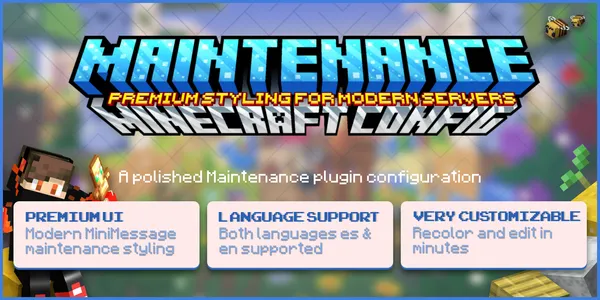
_The ZCraft Modern Maintenance Messages Config pack._
## A Blank Kick Message Reads as Abandonment
The default response to "the server is down" is usually a plain kick message with no context. A player has no way to know if it's down for five minutes or gone for good.
**Uncertainty is what actually loses players during downtime, not the downtime itself.**
A ten-minute update with a countdown feels routine. A silent disconnect with no explanation feels like the server might not come back.
## What a Maintenance Screen Should Actually Communicate
A maintenance screen that keeps players around usually covers:
- A clear reason the server is down, even a short one
- An estimated time or countdown
- A link to Discord for updates
- A different message for staff, so the team can still verify the update went through
Missing any of these turns a routine window into a moment where players quietly stop checking back.
## The Server List Matters Too
Players decide whether to join before they ever see a kick message, based on the server list entry itself.
A stale MOTD showing "online" mid-update creates a worse first impression than an honest "under maintenance" listing with a countdown built in.
## Maintenance Windows Are a Recurring Cost, Not a One-Time Setup
Servers update plugins, migrate worlds, and patch issues on an ongoing basis. Maintenance isn't a one-time event to configure once and forget.
**Treating the maintenance screen as permanent server presentation, not an afterthought, keeps every future update from becoming a trust problem.**
Our **[Modern Maintenance Messages Config](https://www.zcraftstudios.com/products/modern-maintenance-messages-config)** is one way to have that groundwork already in place, with countdown timers, styled MOTD, and staff-only access built in before the first outage happens.
## What's Next for ZCraft Studios
We build presentation-layer resources like this because the parts of a server players see during the worst moments (errors, downtime, punishments) matter as much as the parts they see when everything's working.
**Explore ZCraft Studios and see what's available.**
## A predictable maintenance announcement
Post a brief notice that names the affected server, the expected start, what players may experience, and where updates will be posted. Back up the world and verify the maintenance barrier before changing software. Afterward, run a login and feature test before declaring the service restored. If work takes longer, update the same announcement rather than silently changing the schedule.
## Example maintenance communication
A notice should be useful before, during and after the work. Include the date, time zone, affected game modes and a single reliable update location. Avoid promising a precise reopening time until core checks are complete.
> **Scheduled maintenance:** The survival server will be unavailable on the announced date while we update plugins and verify world data. Progress updates will be posted in the announcements channel. Please disconnect before the maintenance window begins.
During maintenance, restrict new joins, save data and create a restorable backup. When the update finishes, run a smoke test from a regular account: joining, permissions, inventories, claims and economy.
### Reopening checklist
- \[ \] Server process starts without critical errors.
- \[ \] Proxy or public address routes to the correct destination.
- \[ \] World and player inventory data are present.
- \[ \] Essential plugins are loaded and usable.
- \[ \] Staff know how to report a regression.
- \[ \] Players receive an accurate reopening announcement.
If a test fails, keep maintenance mode active and roll back using the documented recovery plan.
## Official documentation and links
- [Paper update and backup guidance](https://docs.papermc.io/paper/updating/)
- [Setting Up Automatic Restarts and Crash Recovery](https://www.zcraftstudios.com/blog/minecraft-server-auto-restart-crash-recovery)
## A release-day announcement checklist
Before maintenance, tell players what will change, when the server becomes unavailable, and where status updates will appear. Disable joins in the intended way, protect unsaved world changes, take backups and run a post-change smoke test before reopening.
If the update fails, communicate that service is still unavailable rather than repeatedly changing the expected opening time. Keep one source of truth for status messages so Discord, MOTD and the website do not contradict each other.
- [SMP season reset checklist](https://www.zcraftstudios.com/blog/minecraft-server-season-reset-guide)
## More guides
- [Setting Up Multiverse for Multiple Worlds](https://www.zcraftstudios.com/blog/multiverse-multiple-worlds-setup)
- [BlueMap Setup Guide: Install a 3D Web Map](https://www.zcraftstudios.com/blog/bluemap-web-map-setup)
- [Can You Change a Minecraft Server Seed Without Losing Builds?](https://www.zcraftstudios.com/blog/minecraft-seed-existing-server-change)
- [Download a Minecraft Server World for Singleplayer](https://www.zcraftstudios.com/blog/download-minecraft-server-world-singleplayer)
- [How to Set Up a World Border on a Minecraft Server](https://www.zcraftstudios.com/blog/worldborder-setup-guide)
## Resources for this topic
- [Maintenance Messages Config | MOTD and Countdown Screen](https://www.zcraftstudios.com/products/modern-maintenance-messages-config)
## Continue reading
- [Can You Change a Minecraft Server Seed Without Losing Builds?](https://www.zcraftstudios.com/blog/minecraft-seed-existing-server-change)
- [Find Minecraft Plugin Conflicts Without Losing Data](https://www.zcraftstudios.com/blog/minecraft-server-plugin-conflict-debugging)
- [Bots for Minecraft Servers: Test Players, NPCs and Defense](https://www.zcraftstudios.com/blog/bots-for-minecraft-servers-test-players-npcs-defense)
- [Minecraft Playtime Rewards Without AFK Farming](https://www.zcraftstudios.com/blog/minecraft-server-playtime-rewards-design)
[ Previous guide Keeping a Minecraft Server Consistent as It Grows](https://www.zcraftstudios.com/blog/keeping-minecraft-server-consistent-as-it-grows)[ Next guide How to Start a Minecraft Server: Step-by-Step (Java, 2026)](https://www.zcraftstudios.com/blog/start-minecraft-server)