---
title: "EternalTags Plugin Config: 100+ Chat Tags & GUI | ZCS"
description: "EternalTags config for Minecraft with 100+ ready-made chat tags. Custom icons, RGB gradients, categories, search, and a favorites GUI are included."
url: "https://www.zcraftstudios.com/products/eternaltags-clean-modern-tags-gui"
updated: "2026-10-31T09:50:15.852Z"
source: "ZCraft Studios"
---
> Site index for AI agents: https://www.zcraftstudios.com/llms.txt (full reference: https://www.zcraftstudios.com/llms-full.txt). Every page is available as Markdown by adding `.md` to its URL or sending `Accept: text/markdown`.
1. [Home](https://www.zcraftstudios.com/)
2. [Products](https://www.zcraftstudios.com/products)
3. EternalTags Config: 100+ Minecraft Chat Tags
Minecraft Configv1
# EternalTags Config: 100+ Minecraft Chat Tags
EternalTags config for Minecraft with 100+ ready-made chat tags. Custom icons, RGB gradients, categories, search, and a favorites GUI are included.
Store price
$4.72
[Save EternalTags Config: 100+ Minecraft Chat Tags to wishlist](https://billing.zcraftstudios.com/?view=wishlist&wish=eternaltags-clean-modern-tags-gui "Save to wishlist")
One-time purchase.
[Buy now](https://billing.zcraftstudios.com/?buy=eternaltags-clean-modern-tags-gui&provider=ziina)

Choose your payment method at checkout. Files and updates stay in your account.
Or buy on the marketplace
[BuiltByBit$5.13](https://builtbybit.com/resources/eternaltags-clean-modern-tags-gui.116400/)
Cheaper than BuiltByBit by $0.41
[Already purchased? My downloads](https://billing.zcraftstudios.com/?view=licenses)
Version
1
File size
21.5 KB
Resource updated
Oct 15, 2026
**2**Consented views
**0**Store purchases
**0**Download requests
[Need help?](https://www.zcraftstudios.com/support)
## About this resource
## EternalTags Config: 100+ Premium Minecraft Chat Tags GUI
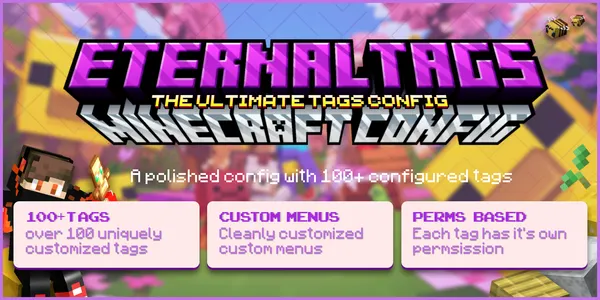
A complete EternalTags setup with 100+ pre-built collectible chat tags, organized categories, and a modern browsable GUI, ready to drop into a cosmetics or rank shop.
## What's Included
- 100+ configured tags with custom icons and RGB MiniMessage gradients
- Organized categories for easy browsing
- Permission nodes for every tag (rank-gated or purchasable)
- GUI descriptions and tag previews
- In-menu search system
- Favorites menu for quick access
- Pagination for large tag lists
- Clear-tag controls
- Custom sort order
## Why Use This Over Default Tags
EternalTags ships with minimal example config. This pack replaces it with a finished, categorized collection, so there's no manual tag-by-tag setup, permission writing, or icon sourcing.
## Compatibility
Built for Paper/Spigot servers running EternalTags.
## Install
Drop the config into your EternalTags folder and reload. Full instructions are in the README.
## Frequently Asked Questions
**Are the tags rank-gated or purchasable?**
Both are supported. Permission nodes are included per tag, so you can gate by rank or sell tags individually.
**Can I add my own tags to this config?**
Yes. The structure is documented in the README, so new tags follow the same format.
**Does this require a specific EternalTags version?**
Built for the current EternalTags config structure on Paper/Spigot (check the README for version notes).
## Setup guides
- [EternalTags Setup: Chat Tags, Menus and Permissions](https://www.zcraftstudios.com/blog/eternaltags-plugin-setup-guide)
- [Why Cosmetics Are the Safer Way to Monetize a Server](https://www.zcraftstudios.com/blog/cosmetics-monetization-minecraft-server)
- [Setting Up PlaceholderAPI](https://www.zcraftstudios.com/blog/placeholderapi-setup-guide)
**Do I need the EternalTags plugin?**
Yes. This pack is the tag configuration for the EternalTags plugin, which you install separately.
**How do I show the active tag in chat?**
Use the `%eternaltags_tag%` placeholder in your chat format or TAB prefix. The setup guide above explains each option.
Included files and features
100+ configured tags Custom categories Permission nodes GUI descriptions Custom icons Tag previews Search system Favorites menu Pagination Clear-tag controls MiniMessage gradients Custom sort order
Configuration files for EternalTags; the plugin itself is required separately. Add 100+ configured chat tags with categories, RGB gradients, search and favorites in a browsable menu.
Does this download include the EternalTags plugin?
This resource contains configuration files for EternalTags. Install the required plugin separately; its licence is not included in this configuration pack.
What does this EternalTags config change?
Add 100+ configured chat tags with categories, RGB gradients, search and favorites in a browsable menu.
How do I install this EternalTags configuration?
Back up your existing plugin files, check the supported versions and dependencies in the listing, then follow the included README for file locations and installation steps. Test the configuration on a staging server before using it on your live server.
### Setup guides
- [Designing a Minecraft Server Rank and Permission System](https://www.zcraftstudios.com/blog/minecraft-server-rank-permission-system)
- [Why Cosmetics Are the Safer Way to Monetize a Minecraft Server](https://www.zcraftstudios.com/blog/cosmetics-monetization-minecraft-server)
- [Naming and Branding a Minecraft Server Guide](https://www.zcraftstudios.com/blog/minecraft-server-branding)
[More EternalTags configs and guides](https://www.zcraftstudios.com/minecraft-configs/eternaltags)
## Resource updates
### v1 · Current
Oct 15, 2026
No release notes provided.
EternalTags---ZCS--2-.zip · 21.5 KB[Download this version](https://billing.zcraftstudios.com/?view=licenses&product=eternaltags-clean-modern-tags-gui&release=6bc40087-c4fa-4aac-bae2-fe379c08f7d4)
Version downloads require an active verified store purchase.
## Required dependencies
Install these separately. Paid plugins and their licenses are not included unless the listing explicitly says otherwise.
- EternalTags
[Installation documentation](https://docs.zcraftstudios.com)
## Standard EULA
Use on any projects you own with attribution
[Full license terms](https://www.zcraftstudios.com/legal/license)
## Customer reviews
5/5
### 100% recommend it, really neat GUIs too!
A very detailed and diverse tags config! Has a tag for any case that you would need.
C
CogSparks
Other
Aug 28, 2026
## Related resources
[Minecraft ConfigMaintenance Messages Config | MOTD and Countdown ScreenMaintenance plugin config for Minecraft with a styled MOTD, gradient text, countdown timers, and hover messages for a clean downtime screen.$3.42View ](https://www.zcraftstudios.com/products/modern-maintenance-messages-config)[Minecraft ConfigDeluxePouches Config | 180+ Reward Pouches PackDeluxePouches config for Minecraft with 180+ ready-made reward pouches, bilingual English/Spanish text, custom icons, and a browsable GUI menu.$4.02View ](https://www.zcraftstudios.com/products/deluxe-pouches-config-180-pouches)[Minecraft ConfigAdvancedBans Messages Config | Ban and Mute ScreensAdvancedBans message config for Minecraft: styled ban, mute, warn, and kick screens in English and Spanish with staff alerts and MiniMessage.$4.35View ](https://www.zcraftstudios.com/products/advancedbans-messages-config)