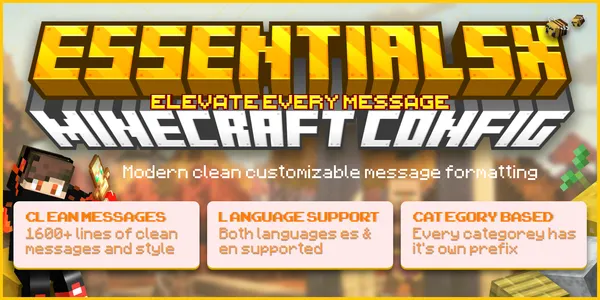
EssentialsX Messages Config | 1600+ Line Premium Minecraft Message Pack
EssentialsX message config for Minecraft — 1,600+ styled lines covering economy, teleport, staff tools, and more in English and Spanish.
EssentialsX Messages Config — 1,600+ Line Premium Message Pack
A complete EssentialsX message overhaul for Minecraft servers, covering economy, teleport, homes, staff tools, and moderation with a compact, modern MiniMessage UI in both English and Spanish.
Why Server Owners Use This
Default EssentialsX chat output is plain and inconsistent. This pack replaces every message key with a styled, categorized format so commands read like a real interface instead of scattered plugin text.
What's Included
- 1,600+ styled message keys across English and Spanish
- Category prefixes for Economy, Teleport, Homes, Staff, Kits, Gamemode, God Mode, Health, Flight, Ranks, Weather, and more
- MiniMessage formatting with hex colors, hover text, and click actions where EssentialsX supports them
- Blank key templates for adding a third language
- Full documentation and a style guide for future edits
Coverage
Economy — balance, pay, sell, worth, and account updates
Teleportation — TPA, back, warps, random teleport, cooldowns
Homes & Warps — clean, scannable route labels
Staff & Moderation — bans, mutes, jail, vanish, social spy
Player Utilities — fly, god mode, gamemode, heal, feed, speed, nick, whois
Errors & Permissions — consistent warning styling across every failure state
Compatibility
Works on any Paper, Spigot, or Purpur server running EssentialsX. No server branding is hardcoded — rename, recolor, or drop it into an existing setup without ripping out placeholder text.
Install
- Download
messages_en.ymlandmessages_es.yml - Drop into your EssentialsX config folder
- Reload or restart the server
Full step-by-step instructions are in the included README.
Frequently Asked Questions
Does this work with my EssentialsX version?
Yes — built for the current EssentialsX message key structure on Paper, Spigot, and Purpur. If your version changes existing keys, the README covers remapping.
Can I use just the English or just the Spanish file?
Yes, each language file works standalone — install one or both.
Will this overwrite my existing EssentialsX settings?
No — it only replaces message text keys, not EssentialsX's core config or permissions.
- ▪* messages_en.yml - styled English EssentialsX messages * messages_es.yml - styled Spanish EssentialsX messages * readme - product instructions
What buyers actually said
Verified reviews from people who own this product. Nothing bought, nothing edited.
No reviews yet.
Be the first to tell other builders whether this was worth it.
One-time payment. Lifetime updates. Instant download.
One-time payment, lifetime updates, instant download. Checkout happens securely on the marketplace.
Standard Licesnse included
Unlimited personal and commercial projects. No resale of the source files.
Read license termsYou might also need
AdvancedBans Messages Config | Minecraft Punishment & Moderation Messages
AdvancedBans message config for Minecraft — styled ban, mute, warn, and kick screens in English and Spanish with staff alerts and MiniMessage.
 FEATURED
EternalTags Config | Premium Minecraft Chat Tags GUI (100+ Tags)
EternalTags config for Minecraft with 100+ ready-made chat tags — custom icons, RGB gradients, categories, search, and favorites GUI included.
 Free
FreePremium TAB & Scoreboard Config | Minecraft Tablist and Scoreboard UI
Free TAB config for Minecraft — polished tablist, animated scoreboard, bossbar, and nametags in English and Spanish, ready to install.